Start here
How to request your Instagram data export
Instagram will give you a copy of your own followers list. You just have to ask for it. Asking takes about two minutes, and if you request only your followers and following, the file normally arrives by email within about 15 minutes.
No password to share, no app to install, and nobody is told that you asked.
Set it up now, so the file has somewhere to go the moment it lands.
What you are asking for
Meta calls it Export your information. It is a built-in feature: you pick which parts of your account you want, Meta builds a file on its servers, and it emails you a link to download it.
To see who left, you only need one small part of it — your followers and following lists. Leaving everything else out makes the file smaller and the wait shorter.
The request is private to your account. No follower is notified, nothing is posted, and you can ask again as often as you like.
Three settings that matter
The request screen offers a lot of options. Only three of them change anything for you.
Followers and following
Under Customise information, deselect everything else. It is the only category you need, and a smaller export is a faster export.
JSON
JSON is plain structured text. HTML is the same data wrapped in web pages — much larger, and nothing can read it back afterwards. Pick JSON.
All time
Set the date range to All time. A narrower range quietly leaves older followers out of the file.
Requesting the export, step by step
The screens are the same on the web and in the app; only the way you reach them differs. The screenshots below are from the web.
- Step 1
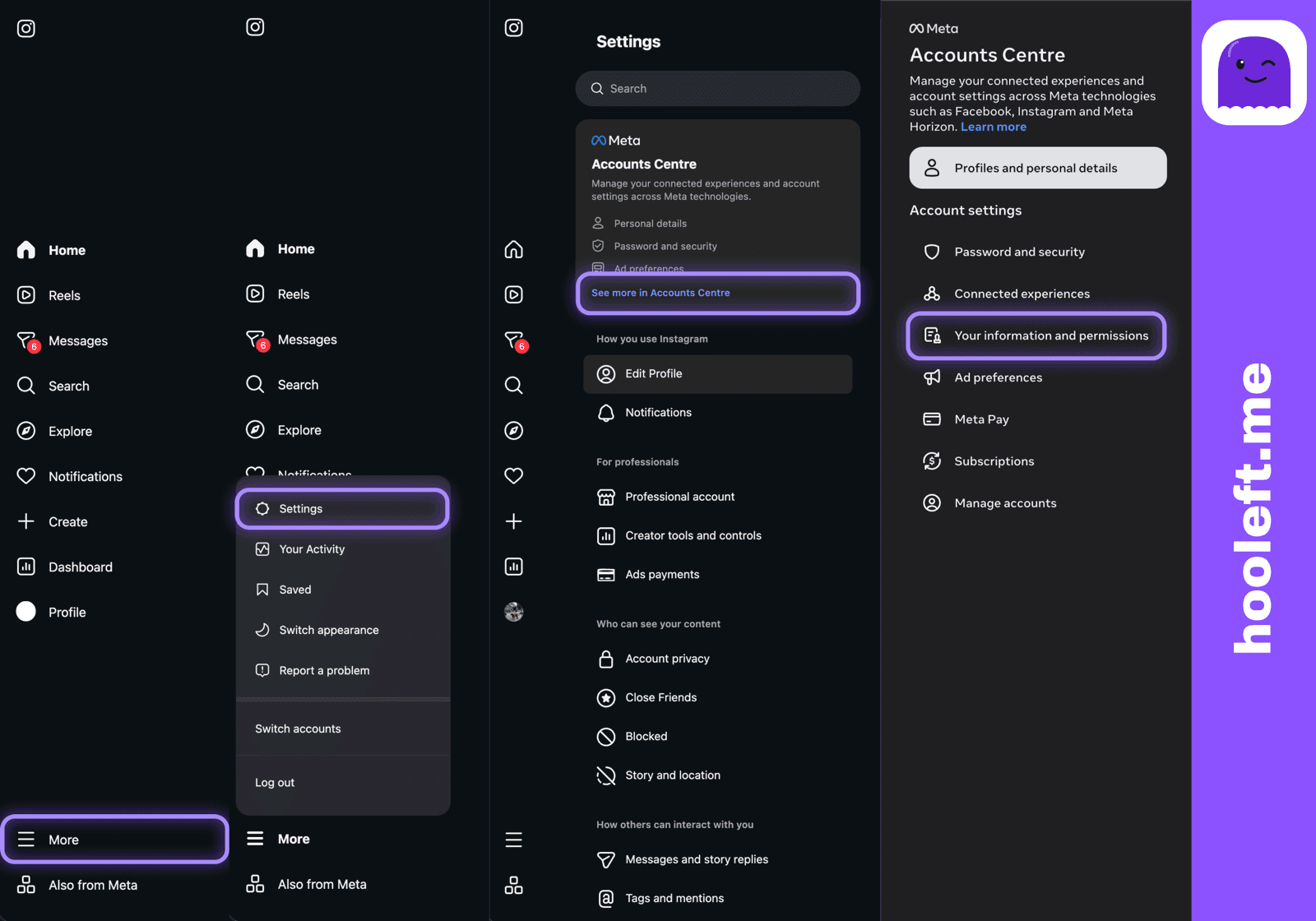
Open Your information and permissions
Instagram keeps the export inside Accounts Centre, the settings area Meta shares between Instagram, Facebook and Threads. Getting there is the only part that differs by device.
On the web
- More
- Settings
- See more in Accounts Centre
- Your information and permissions
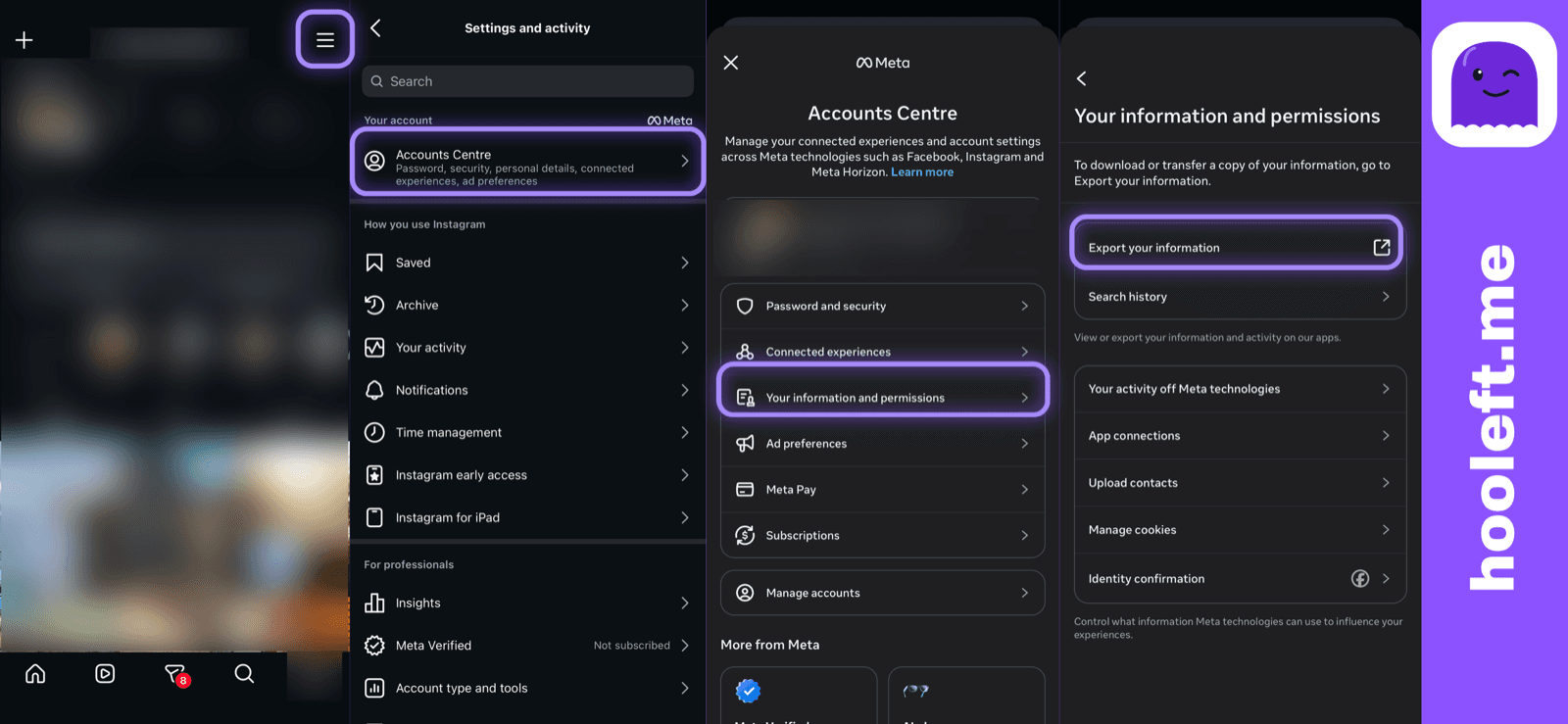
In the app
- Profile
- hamburger menu
- Accounts Centre
- Your information and permissions
- Export your information
- Step 2
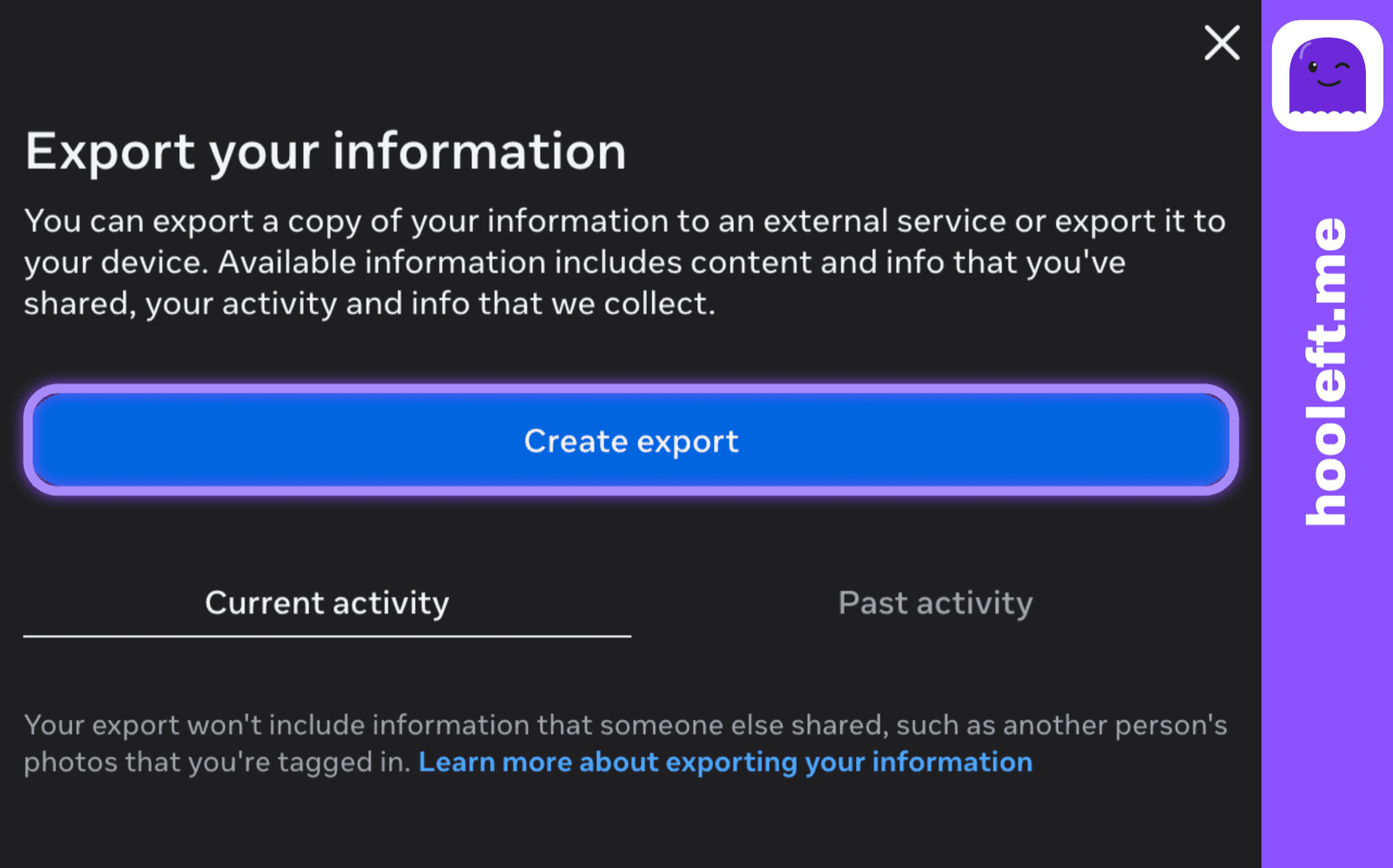
Start a new export
On the Export your information screen, choose Create export. Any earlier requests are listed here too, which is handy if you have forgotten whether you already asked.
- Step 3
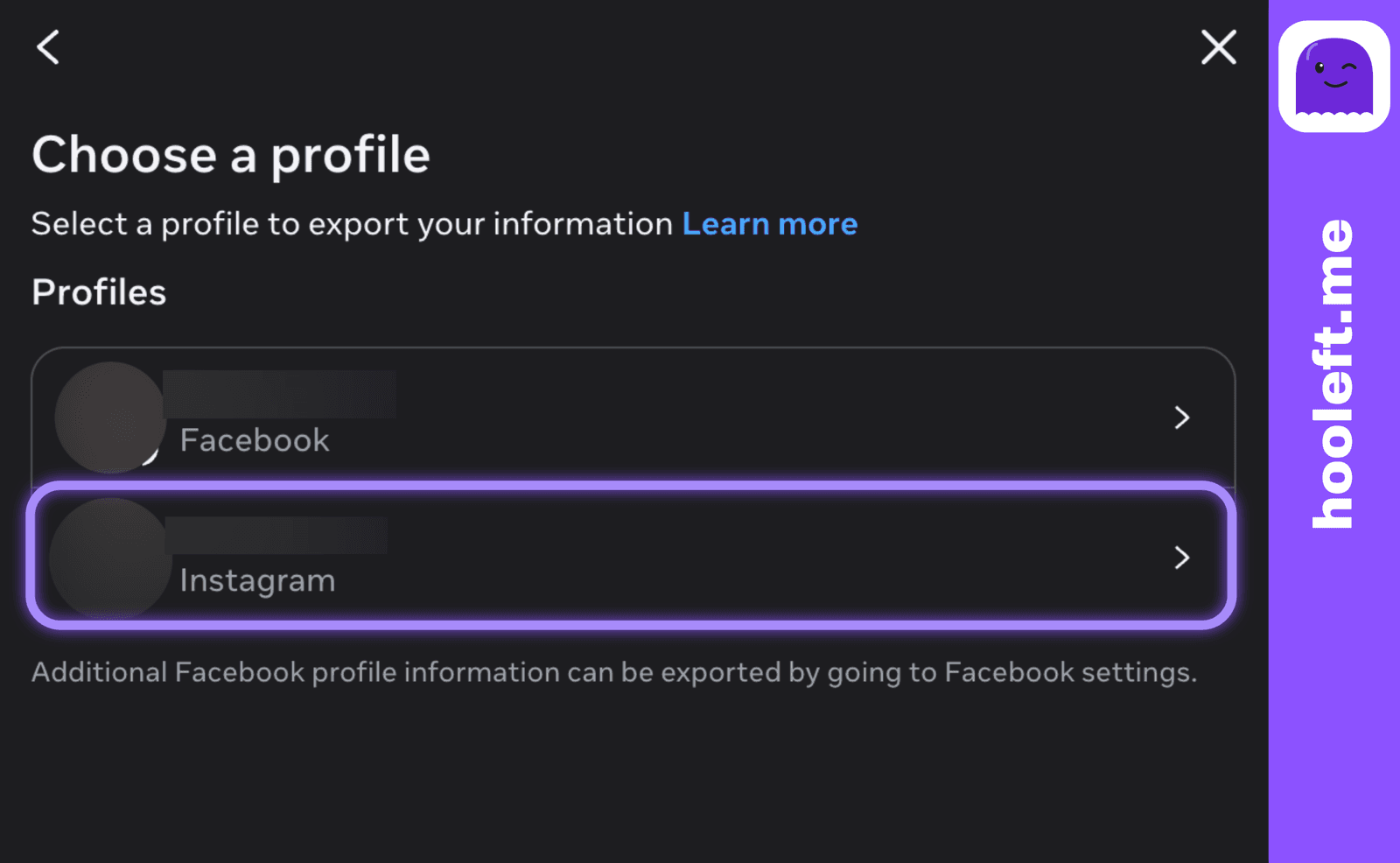
Choose your Instagram profile
If your Accounts Centre holds more than one profile, pick the Instagram account you want the export for, then continue.
- Step 4
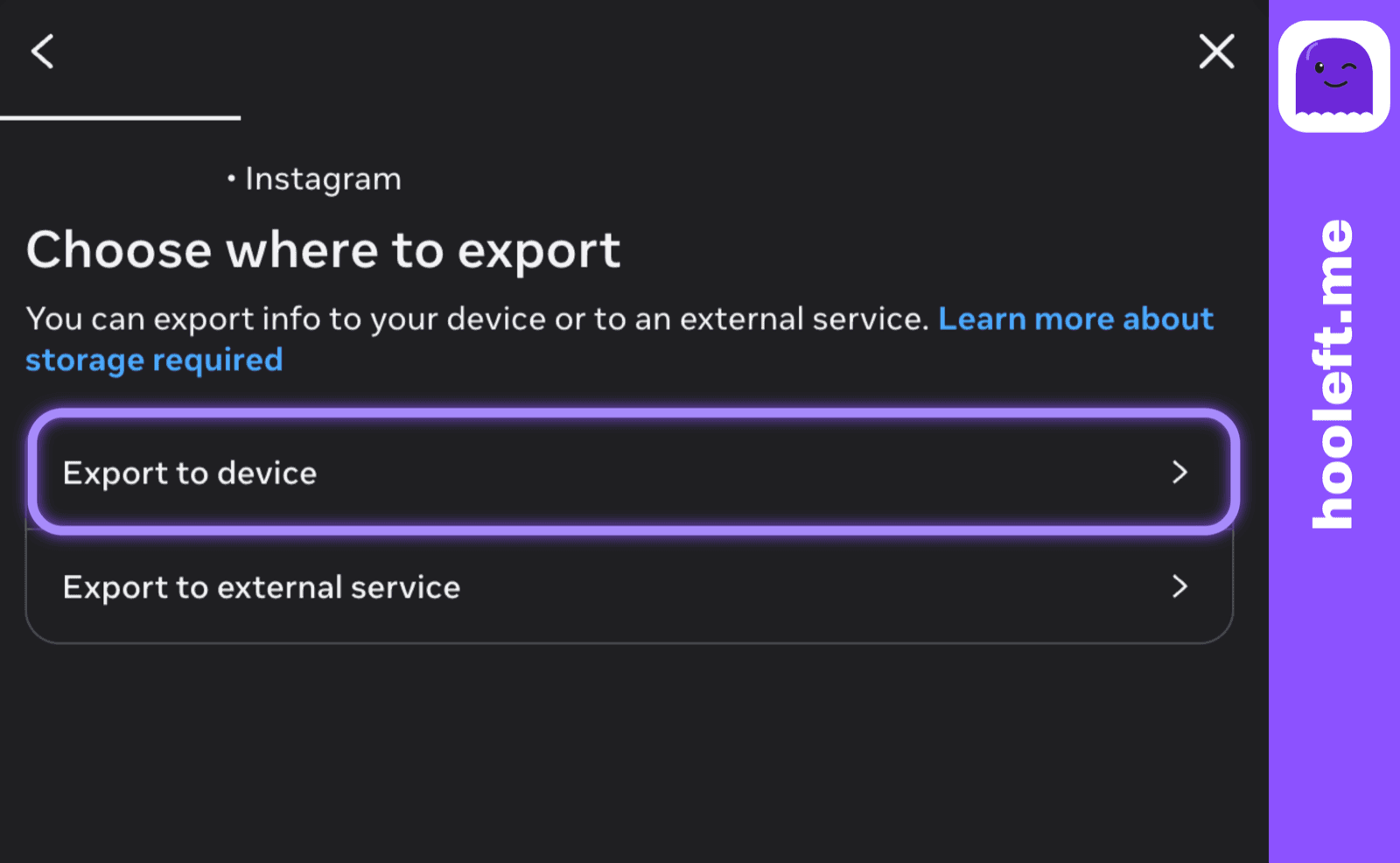
Export to device
On Choose where to export, pick Export to device. The other option sends the archive to a cloud service you have connected, which is slower and not what you need here.
- Step 5
Set the three options, then start
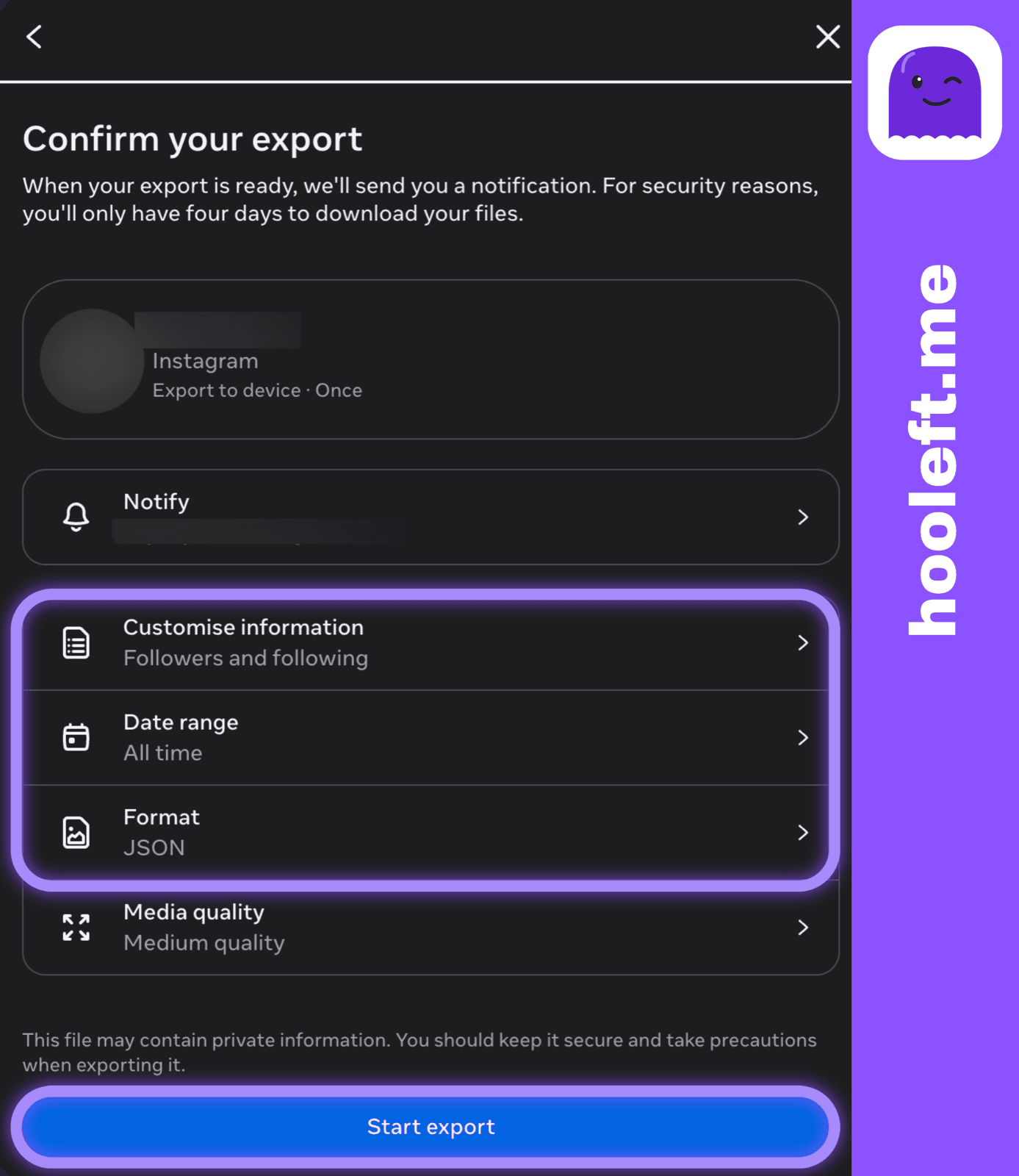
The Confirm your export screen is where those three settings live. Adjust each one:
- Customise information — deselect everything, keep only Followers and following.
- Date range — All time.
- Format — JSON.
- Media quality — leave it as it is. It does not apply to a followers-only export.
Then choose Start export. Instagram may ask for your password to confirm it is you.
- Step 6
Wait for the email
The screen returns to your list of requests with the new one showing as in progress. From here it is out of your hands: Meta builds the file and emails you when it is ready.
What the email looks like
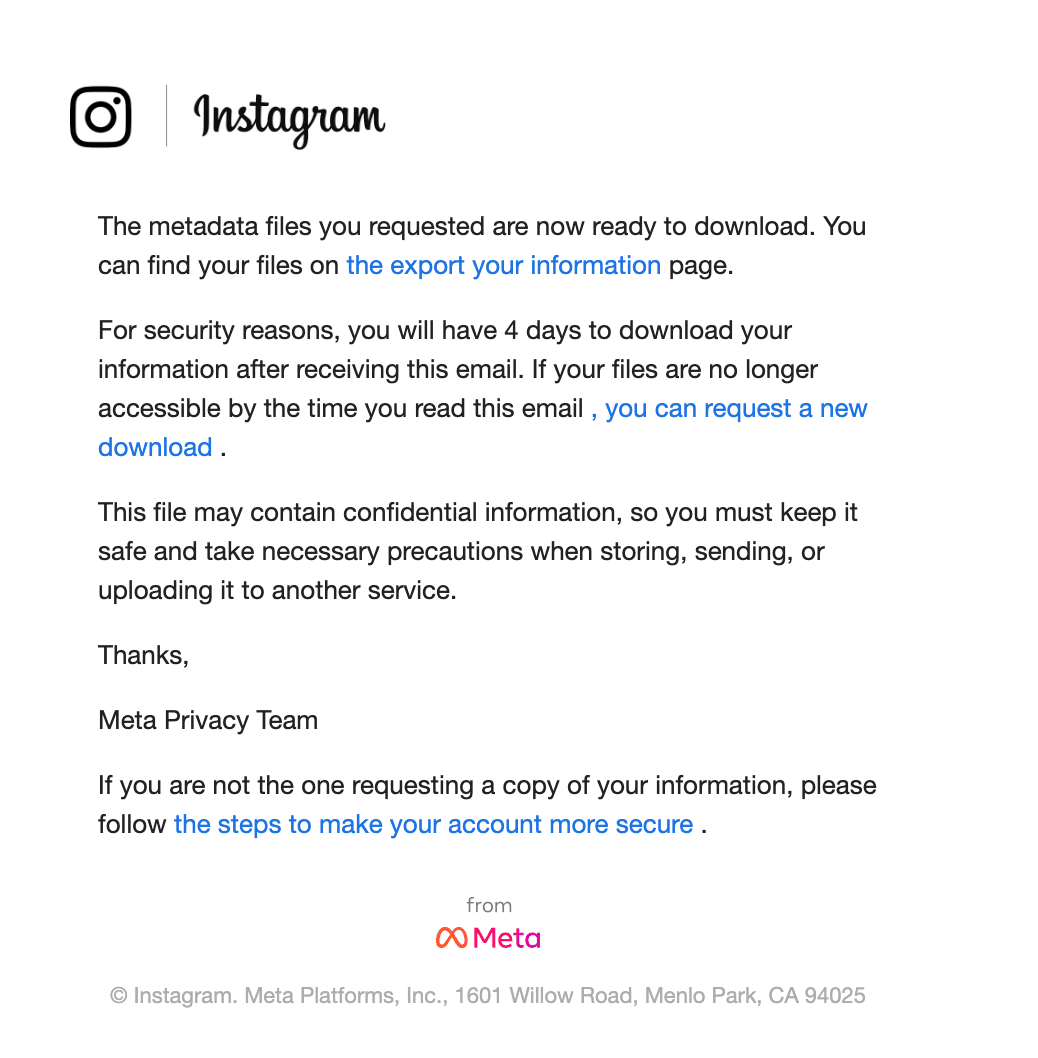
It carries Instagram's branding, is signed off by the Meta Privacy Team, and is short. It tells you the files you requested are ready and points you at the Export your information page — a link back into Instagram rather than an attachment.
Following that link returns you to the same list of requests you left behind, with the finished export waiting there to be downloaded. Instagram may ask for your password again before the download starts. What you get is a .zip file.
The email also states the deadline outright: four days to download your information after it reaches you. Miss that and the files are cleared and you request a new export. It closes by reminding you the archive can hold confidential information, which is fair — a full export carries your messages and login history too.
How long it actually takes
Meta does not publish a guaranteed turnaround, so anyone quoting you an exact figure is guessing. What we see in practice: a followers-only JSON export is usually ready in about 15 minutes, while a full archive of everything can take a day or two. Requesting only what you need is the difference between the two.
The two things that seem to matter most are how much you asked for and how large the account is. A single-category export is about the smallest job you can hand Meta, which is another reason to keep the request narrow.
One detail worth knowing: the file is built when the job runs, not when you press the button. The followers list inside it reflects that moment, not the moment you asked.
If the email does not arrive
Give it a day before worrying. After that, work down this list.
- Check spam and promotions. Meta's export mail lands there more often than you would expect.
- Check which address Instagram has for you. The email goes to the address on the account, which may not be the one you read every day.
- Look at the requests list inside Export your information. If it still shows as in progress, nothing has gone wrong — it is queued.
- If the request has disappeared from that list, it failed quietly. Make a new one.
- If a large export keeps stalling, ask for less. Followers and following alone is a far smaller job than everything you have ever posted.
- If the app is not cooperating, try the same steps in a desktop browser. The flow is identical and it is easier to see what state a request is in.
What lands in the file
The .zip opens into a folder named after your account. With a followers-only export there is not much in there — the part that matters is connections/followers_and_following/, which holds files called followers_1.json and following.json.
Those are plain text, so you can open them in any editor and read the usernames. On a larger account the followers list is split across several numbered files, and comparing two exports by hand gets tedious quickly.
That comparison is the part hooleft.me takes off your hands. Give it the .zip and it reads the same files, keeps the list as a snapshot, and shows you who is missing the next time you upload.
Set up while it builds
Your export is already on its way, and it usually takes about 15 minutes. Setting up your hooleft.me account takes about a minute, so the file has somewhere to go the moment it reaches your inbox.
Create a free accountFree to start, no card needed — and never your Instagram password. The export is all we ever ask for.
More reading on the blog